
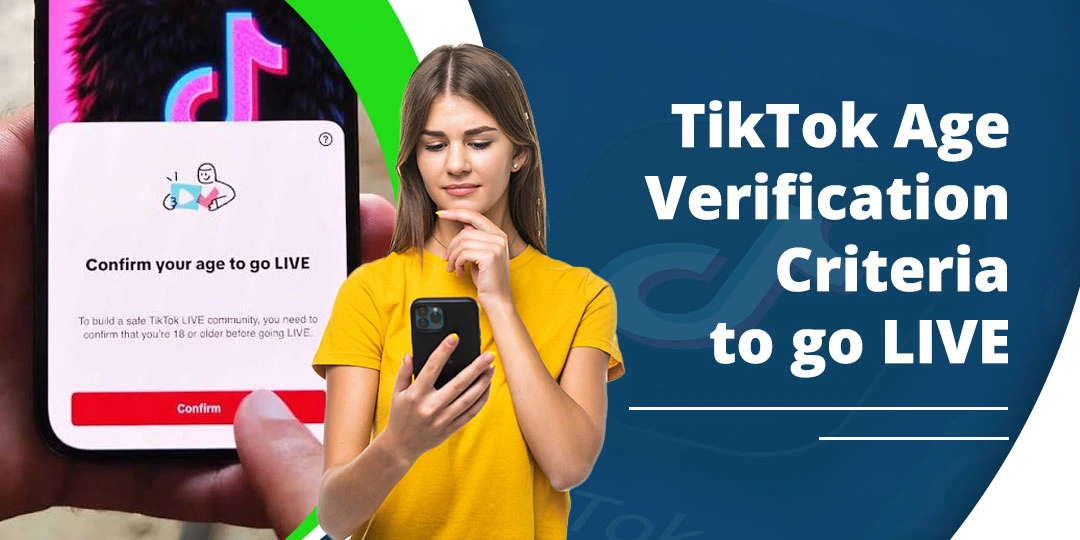
If TikTok thinks you are under 18, you may lose access to LIVE even when you are actually an adult. TikTok requires creators to be at least 18 to go LIVE, and it may ask you to confirm your age before allowing the feature. If TikTok cannot confirm that you are 18 or older, LIVE remains unavailable.
This guide explains why TikTok marks an adult account as under 18, how to confirm your age for LIVE, what to do when a passport or ID is rejected, and how to appeal a TikTok LIVE age restriction in the United States.
TikTok’s age rules are different from Instagram’s Teen Account controls. If you are comparing livestreaming rules and safety features across both apps, read our guide on Instagram vs TikTok.
Contents
Quick Answer
TikTok may think you are under 18 because the date of birth on your account is incorrect, an earlier age check produced a different result, your ID or selfie was not readable, or TikTok’s age-assurance system could not confidently verify you.
To fix the problem, open the TikTok notification or LIVE age-verification prompt and follow the official appeal or confirmation process. Depending on your location and the option TikTok offers, you may use a government ID with selfies, a selfie with ID, credit-card authorization, or facial age estimation.
Do not change your birthday repeatedly or upload edited documents. If TikTok confirms that you are under 18, you cannot host LIVE until you meet the minimum age.
TikTok LIVE Age Requirement in the USA
TikTok states that you must be at least 18 years old to go LIVE. If TikTok confirms that you are over 18, you are eligible for LIVE. If it cannot confirm your age, LIVE remains unavailable; if it confirms that you are under 18, LIVE and other age-restricted features stay blocked.
Age is only one part of LIVE eligibility. TikTok may also apply follower, account-standing, region, device, and policy requirements. TikTok’s age-confirmation page does not promise LIVE access merely because an age check succeeds, so treat age approval as necessary but not automatically sufficient.
Why Does TikTok Think I Am Under 18?
The most common reasons include:
- The birthday entered when the account was created is incorrect.
- The account was created when you were younger and the old date remains attached to it.
- TikTok detected signals that do not match the account’s stated age.
- A selfie was dark, blurry, filtered, or not captured in real time.
- The ID photo was cropped, reflected light, expired, or difficult to read.
- The name or date of birth on the ID does not match the information supplied.
- The document is not accepted for the verification option shown.
- The verification process was closed before it finished.
- TikTok’s service provider could not authenticate the document or estimate your age.
- A previous appeal or age check produced an under-18 result.
TikTok does not publish every signal used to decide when to request age confirmation. A profile that has existed for many years is not, by itself, proof that the user is over 18.
Check What Was Actually Restricted
Before submitting documents, identify whether TikTok removed only LIVE or restricted the entire account.
LIVE feature removed
You can usually still use the account, but LIVE and other age-restricted features may be unavailable. TikTok says you have 180 days from the date access to an age-restricted feature was removed to submit an appeal.
Account banned as underage
This is more serious. TikTok may believe the user is below the minimum age to have an account. In the United States, TikTok says an underage-banned account has 23 days to appeal and request data before the account and data deletion process begins.
Do not confuse a LIVE restriction with an under-13 account ban. The appeal route and deadline can be different, so read the notification carefully.
How to Verify Your Age on TikTok for LIVE
When you tap Go LIVE and TikTok asks you to confirm your age, use the method displayed in the app. Available methods vary by location and account.
1. ID and selfies
TikTok may ask for a government-issued ID and three real-time selfies from different angles. The photos should show that the document belongs to you and that you are a real person.
2. Selfie with ID
Some users are directed to Incode. This process may require a photo of your government ID and a live selfie. TikTok says you must agree to Incode’s terms and allow the verified date of birth to be shared with TikTok; otherwise TikTok cannot complete the age confirmation.
3. Credit-card authorization
TikTok may offer a temporary credit-card authorization to confirm that the user is an adult. TikTok says a small temporary charge may be made and refunded. Use this option only inside the official TikTok flow and check the details before submitting payment information.
4. Facial age estimation
TikTok may ask for a real-time selfie that is sent to a third-party age-estimation provider. The selfie must be captured in the process rather than uploaded from the camera roll. TikTok says the provider estimates age from facial features and deletes the selfie after the process is complete.
How to Confirm Your Age on TikTok Correctly
Use these steps when the LIVE prompt appears:
- Open TikTok and tap Profile.
- Tap the menu button.
- Open Settings and privacy.
- Open the notification, LIVE prompt, or age-confirmation request.
- Choose the verification method TikTok offers.
- Enter your real date of birth.
- Follow the instructions without leaving the verification screen.
- Submit clear, current information.
- Wait for TikTok’s decision before trying another method.
The labels can differ by app version. If you cannot find the prompt, go to Settings and privacy > Report a problem and choose the account or LIVE-related topic. TikTok’s official support flow starts from Profile > Menu > Settings and privacy > Report a problem.
How to Fix TikTok LIVE Age Verification Failed
A failed verification does not always mean TikTok decided that you are under 18. It may mean that the document or selfie could not be processed.
Try the following:
- Use a valid, unexpired government-issued document.
- Photograph the entire document, including all required corners.
- Place the document on a flat surface.
- Use bright, even lighting without glare.
- Clean the camera lens.
- Turn off beauty filters and camera effects.
- Keep your face fully visible.
- Remove hats, masks, and anything that creates shadows.
- Use a stable Wi-Fi or mobile-data connection.
- Allow TikTok camera access.
- Capture selfies in real time when asked.
- Make sure the ID details are readable.
- Use the same person and document throughout the process.
- Do not submit screenshots, photocopies, edited images, or another person’s ID.
If TikTok gives you another verification method, you can try that method instead. Do not repeatedly submit the same rejected image because repeated failures may delay the review or make the appeal less clear.
TikTok LIVE Age Verification: Passport Rejected
If TikTok rejects your passport, check the reason before trying again. A passport may fail because:
- The photo page is blurry or has glare.
- The passport is expired.
- The image is cropped or the document edges are missing.
- The name or date of birth is difficult to read.
- The selfie does not match the document holder.
- The verification flow requires a different document type.
- The passport is not supported in the country or method shown.
- You left the third-party verification page before it finished.
Take a new photo in indirect daylight. Keep the passport flat, show the full photo page, and avoid flash reflections. If the app offers a driver’s license, state ID, or another official option, use only a document that belongs to you and is accepted by that specific prompt.
If the same valid passport is rejected again, stop repeating the upload and use the Appeal button or TikTok’s in-app support route. A support request should explain that you are 18 or older, identify the exact LIVE restriction, and state that the document was rejected despite being valid.
How to Appeal a TikTok LIVE Age Restriction
If TikTok removed LIVE because it believes you are under 18, use the appeal notification rather than trying to edit the birthday yourself.
- Open the TikTok notification about the removed feature.
- Tap Appeal.
- Read the available age-confirmation options.
- Choose the method you can complete accurately.
- Submit the requested ID, selfies, parent confirmation, or card authorization.
- Wait for the result in TikTok notifications or by email.
TikTok says feature-removal appeals must be submitted within 180 days. The notification is the most reliable place to see the deadline and the exact documents requested for your account.
If there is no appeal button:
- Open Profile.
- Tap the menu button.
- Select Settings and privacy.
- Tap Report a problem.
- Choose Account and profile or the closest LIVE and age-related topic.
- Follow the prompts.
- If the suggested steps do not solve the issue, choose the option to contact support or submit more help.
Include the username, country, age, date the restriction appeared, exact message, and verification method that failed. Do not post your ID publicly or send it to an unofficial TikTok support account.
Appeal Message You Can Use
You can adapt this short message in TikTok’s official support form:
Hello, TikTok removed my LIVE access because the system appears to think I am under 18. I am 18 or older and believe this restriction is incorrect. I attempted the official age-verification process, but my [passport/ID/selfie] was rejected. Please review my LIVE age restriction and provide the correct verification option. My username is [username], and the restriction appeared on [date].
Do not include your full ID number, password, or security code in a public comment. Submit sensitive information only through TikTok’s official in-app verification screen.
If the Appeal Is Rejected
A rejected appeal can mean that TikTok could not authenticate the document, could not match the selfie, or determined that the account does not meet the age requirement. It does not tell you which part failed in every case.
Before trying again:
- Read the rejection message carefully.
- Check whether the appeal window is still open.
- Use a different accepted verification method if TikTok offers one.
- Retake the photos without glare, filters, or cropping.
- Confirm that the document is current and belongs to you.
- Contact TikTok through Report a problem if no appeal option remains.
Do not create multiple accounts with different birthdays. That can create more age inconsistencies and will not guarantee LIVE access.
Why LIVE May Stay Locked After Age Approval
Being confirmed as 18 or older solves the age condition, but LIVE can remain unavailable if another requirement is missing.
Instagram applies its own age-based livestreaming controls for teens, but its requirements differ from TikTok’s rules. For comparison, read our guide on Instagram Live not showing on a teen account.
Check whether:
- The account has the follower threshold TikTok applies in your region.
- The account has active Community Guidelines restrictions.
- LIVE is available in your country.
- The account is using the latest TikTok app.
- TikTok has finished synchronizing the age result.
- The account has a temporary LIVE suspension unrelated to age.
- The device or network is preventing the LIVE tools from loading.
TikTok’s official age page confirms that age determines eligibility for the 18+ condition, but it does not state that age confirmation alone guarantees access to every LIVE feature.
How to Turn Off 18+ on TikTok LIVE
You cannot turn off the 18+ requirement for hosting TikTok LIVE. It is a minimum-age rule, not an ordinary privacy setting. TikTok states that creators must be 18 or older to go LIVE.
If you mean an 18+ content label on a particular LIVE, that is different from the requirement to host a LIVE. Age-restricted LIVE content may not be recommended to viewers ages 13 to 17, and younger viewers may be removed from the broadcast.
A host cannot use a switch to make an under-18 account eligible to broadcast. Do not rely on modified apps, VPNs, fake birthdays, or another person’s identity.
Can You Go LIVE on TikTok Under 18?
TikTok’s current support guidance says no: you must be 18 or older to go LIVE.
Parental permission does not override TikTok’s 18+ LIVE rule. A parent or guardian may help with an age appeal in some circumstances, but that process confirms the account’s age; it does not make an under-18 user eligible to host LIVE.
You may still be able to watch LIVE content or use other TikTok features allowed for your age. The exact content and interaction limits depend on TikTok’s current safety rules and your location.
Age Restriction Warning vs Account Ban
These messages are not identical:
| Message type | What it usually means | What to do |
| LIVE age restriction | TikTok removed LIVE or another age-gated feature. | Open the notification and appeal within the stated period. |
| Verification failed | TikTok could not process the ID, selfie, card, or age estimate. | Correct the submission and use the offered method again. |
| Underage account ban | TikTok believes the user is below the minimum age to have an account. | Appeal immediately; U.S. users have a shorter deadline listed by TikTok. |
| LIVE suspension for policy reasons | The restriction may be unrelated to age. | Check Account Status and the LIVE notice, then appeal the stated violation. |
Read the complete notice before choosing a fix. Sending an age appeal will not necessarily remove a separate Community Guidelines suspension.
Privacy Before Submitting ID
Age verification involves sensitive information. Use only TikTok’s official in-app process or a destination linked from TikTok Support.
TikTok says the information shared can be processed by service providers that authenticate an ID, estimate age from a selfie, or authorize a temporary card transaction. TikTok also describes retention and deletion practices that vary by the verification method and account outcome.
Before submitting anything:
- Confirm that the page is inside TikTok or an official TikTok support flow.
- Read which company processes the information.
- Do not send ID photos through direct messages or public comments.
- Do not share your password or one-time security code.
- Keep a copy of the appeal confirmation and date.
Frequently Asked Questions
Why does TikTok think I am under 18 for LIVE streaming?
TikTok may have an incorrect birthday, an earlier age result, an unreadable ID or selfie, or insufficient information to confirm that you are an adult. The system may also detect signals that do not match the account’s stated age.
How do I verify my age on TikTok for LIVE?
Start the age-confirmation prompt when you tap Go LIVE. Depending on your location and the option shown, TikTok may offer ID and selfies, selfie with ID, credit-card authorization, or facial age estimation.
How do I fix TikTok LIVE age verification failed?
Use a current government ID, clear lighting, a clean camera lens, an unfiltered real-time selfie, and a stable connection. If the same document is rejected again, use the official Appeal or Report a problem route instead of repeatedly uploading it.
Why was my TikTok LIVE age verification passport rejected?
The photo may be blurry, cropped, reflective, expired, unsupported, or inconsistent with the selfie. Retake the full photo page in even lighting or choose another verification method offered by TikTok.
How do I appeal a TikTok LIVE age restriction despite being 18?
Open the restriction notification, tap Appeal, and complete the official age-confirmation method. TikTok says feature-removal appeals have a 180-day period.
How do I appeal on TikTok for an age restriction if there is no button?
Go to Profile > Menu > Settings and privacy > Report a problem, select the closest account, profile, age, or LIVE topic, and follow the support prompts. TikTok’s official reporting instructions use this path.
How do I turn off 18+ on TikTok LIVE?
You cannot turn off the minimum age for hosting LIVE. TikTok requires creators to be at least 18. An 18+ content label on a broadcast is separate from the age requirement to host.
Can I go LIVE on TikTok under 18 with parental permission?
No. TikTok’s current LIVE requirement is 18 or older. A parent can sometimes help confirm a teen’s age during an appeal, but parental permission does not make an under-18 account eligible to host LIVE.
Why is my TikTok age restricted when I’m 18?
TikTok may not have confirmed your age correctly. Submit the requested verification through the official prompt and provide a clear, valid document or real-time selfie.
Does reaching 18 automatically unlock TikTok LIVE?
No. TikTok may need to confirm the account’s age, and other LIVE eligibility requirements may apply. Check the LIVE prompt, Account Status, follower eligibility, and regional availability.
Conclusion
If TikTok thinks you are under 18 for LIVE, do not try to bypass the restriction by changing your birthday, using a modified app, or submitting someone else’s ID. TikTok requires LIVE creators to be 18 or older, and it may ask for age confirmation before granting access.
Start with the notification or LIVE prompt, complete the official verification method, and use Appeal if TikTok removed the feature incorrectly. If a passport or ID was rejected, improve the photo quality and check the document requirements before trying again. If the appeal fails or no button appears, use TikTok’s in-app Report a problem route and include the exact warning.
Remember that age approval does not guarantee LIVE access if your account is private, below a regional follower threshold, restricted for policy reasons, or still waiting for the result to synchronize.
Disclaimer: Primotechy is an independent website and is not affiliated with or endorsed by TikTok or ByteDance.
Sources
- Age Requirements for TikTok LIVE – TikTok Support
- Minimum Age Appeals on TikTok – TikTok Support
- Underage Appeals on TikTok – TikTok Support
- Age-Restricted Content on TikTok LIVE – TikTok Support
- Report a Problem – TikTok Support
- How TikTok Processes Face and Voice Information
Editorial note: TikTok’s verification methods, appeal windows, follower rules, and menu labels can vary by location, account status, and rollout. The notification shown inside the account is the most reliable source for the applicable deadline and required verification method.

Anica Lymus is a technical writer specializing in consumer applications, mobile operating systems, and practical troubleshooting workflows. At Primotechy, she covers account security, software glitches, and app performance across platforms such as Facebook, Instagram, and Snapchat. Drawing on hands-on device testing and in-depth research across iOS, Android, macOS, and Windows, Anica translates complex platform settings and sudden technical errors into clear, verified, step-by-step guides that readers can easily follow and trust.
View all posts by Anica Lymus →