
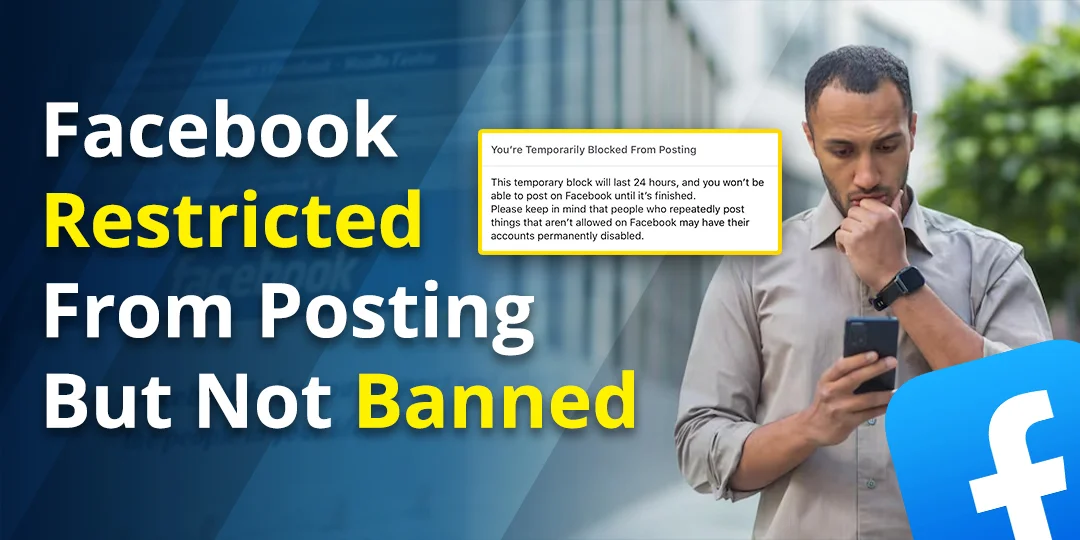

You can still log in. You can scroll, react, and maybe even use Messenger. But when you try to post, Facebook says you are restricted, or the post button simply does nothing.
First, the reassuring part: this is not a ban. A posting restriction means Facebook has limited one or more features on your account, usually for a set time. The hard part is that Facebook is often vague about why. This guide explains the real causes, how Meta’s strike system works, what the common messages mean, and what you can do right now.
Contents
Restricted, locked, suspended or disabled: they are not the same
People use “banned” for everything, but Facebook treats these as different states. Knowing which one you are in decides what you should do next.
| State | What you can do | Usual fix |
| Restricted (feature block) | Log in and browse, but a feature such as posting, commenting or group posting is limited | Read the notice, stop the triggering activity, request review if offered, otherwise wait |
| Locked | Facebook asks you to confirm identity or secure the account | Log in and follow the security steps |
| Suspended | Profile is generally unavailable while an appeal or review is pending | Appeal inside Facebook before the deadline shown |
| Disabled | Account is shut off, sometimes permanently | Use the appeal option shown at login if it still exists |
If you can log in and use most of Facebook, you are almost certainly in the first row.
Why Facebook lets you log in but blocks you from posting
There are three main reasons, and each has a different fix.
1. A Community Standards strike
If Facebook removed something you posted for breaking its rules, it may add a strike to your account. Strikes lead to restrictions that grow with the number of strikes. This is the system people call “Facebook jail.” I explain the exact numbers in the next section.
2. A feature block for how you used Facebook
Sometimes there is no removed post at all. Facebook can temporarily limit a feature when activity looks spammy or automated, such as many friend requests, comments, group invites, messages or posts in a short time. Facebook says its limits depend on things like speed and quantity, and it does not publish exact numbers. Anyone who tells you “X actions in an hour triggers a restriction” is guessing.
3. A security or limited-access issue
If Facebook thinks your account was compromised, or that a device you use may have malware, it can limit what you can do until the problem is fixed. Facebook’s guidance says a malware-related restriction can take a few days to clear after the issue is dealt with.
There is also a fourth case that is easy to miss: the restriction may apply to something other than your personal profile, such as a group you manage, a Page, Marketplace, or your ad account. More on that below.
How Meta’s strike system decides how long you are restricted
Meta publishes this one, so it is the most reliable part of this guide. Here is what its Transparency Center says about restricting accounts:
| Strikes | What usually happens |
| 1 strike | Warning only, for most violations |
| 2 to 6 strikes | Limited time restrictions from specific features, such as posting in groups |
| 7 strikes | 1-day restriction from creating content, including posting, commenting, creating a Page and more |
| 8 strikes | 3-day restriction |
| 9 strikes | 7-day restriction |
| 10 or more | 30-day restriction |
Some details people usually miss:
First-strike removal: If this is your first Community Standards violation in the past year, Meta may offer you a chance to remove the strike by completing an educational module. Check Account Status for a “Remove Strike” or “Learn and Remove” option. This is not available for severe violations like child safety or terrorism content. Meta says this option is available once in a 12-month period for eligible first-time strikes on Facebook profiles, Pages and Instagram profiles.
- Strikes expire after one year. Meta says all strikes on Facebook and Instagram expire after one year.
- Old content is not counted for most violations if it was posted over 90 days earlier. For more severe violations, the window is longer.
- Strikes count across Facebook and Instagram, but these restrictions apply to Facebook accounts only.
- Serious violations can bring extra restrictions from the first strike, such as limits on Facebook Live or ads, on top of the standard ones.
- Some violations can lead to a disabled account right away, for example child sexual exploitation content.
- Strikes can also count against a Page or group you manage if the content was posted there.
Meta overhauled this system in 2023 so that longer timeouts start later, around the seventh strike for most violations, and so people receive clearer explanations. If you have read older advice that says “five strikes means 30 days,” that is out of date.
Important 2026 update: In June 2026, Meta’s Oversight Board noted inconsistencies between different Meta policy pages. While the Restricting Accounts page describes 30-day restrictions at 10 or more strikes, other Meta pages mention that 30-day restrictions can occur after as few as five strikes for severe violations. Always check your specific Account Status notice for your exact restriction level.
Important: the strike table above covers policy violations. A feature block for activity that looks spammy is separate, and Meta does not publish a countdown for those.
Step 1: Find out exactly what Facebook says about your account
Do this before anything else. Guessing wastes time, and the exact wording of the notice decides the correct fix.
Check Account Status (Personal Accounts)
- Open Facebook and tap your profile picture or the menu.
- Go to Help & support.
- Open Account Status. You can also visit facebook.com/accountstatus.
This can show restrictions, Community Standards strikes, and the status of Pages and groups you manage. Learn more about Account Status.
Check Account Quality (Pages, Ad Accounts, Business Assets)
If you manage a Page, ad account or business assets, go to facebook.com/accountquality. The Account Quality dashboard shows restrictions on business assets, ad accounts and Pages you manage.
Check the Support Inbox
- Open Help & support again.
- Tap Support Inbox.
This is where Facebook puts review results, appeal deadlines and instructions that may not show up in a general notification. Some users complain that the reason is buried here or even missing, so also check your regular notifications and the email linked to your account.
Write down what you see
- The exact wording of the message.
- Which feature is affected.
- The start date and any end date.
- Whether there is a Request review, Appeal or Get started button.
Match your situation to the right fix
“I can’t post, but I can still use Messenger”
That fits a feature-specific restriction rather than an account ban. Check Account Status and Support Inbox. If a strike is listed, it is a content-creation restriction. If nothing is listed, treat it as a possible activity-based limit and stop doing whatever you were doing in bulk.
“I’m restricted from posting in groups only”
This could be two different things. Facebook’s strike rules mention restricting group posting in the two-to-six-strike range. But it can also be a group admin’s decision, such as a suspended membership, post approval rules or comment limits. Test whether you can post on your own timeline. If you can, and Account Status is clear, ask the group admin. If Account Status shows a restriction, follow Facebook’s review option instead.
“I’m restricted from ads but my personal posts work”
That is usually a separate restriction on an ad account, user advertising access, a Page or a business asset. A personal profile appeal will not fix it. Use Business Support Home and the Account Quality area in Meta’s business tools, and use the review option shown there. Meta says ad reviews are typically completed within about 48 hours, though some take longer.
“Restricted with no reason given”
This happens, and it is frustrating. Check Support Inbox first. If there is nothing, look at whether you recently did something fast or repetitive: bulk friend requests, many group invites, repeated comments or using a third-party tool. Also check for signs of a hacked account, such as posts you did not make or unfamiliar login sessions. If any of that fits, secure the account and wait for the restriction to clear.
“It only fails in the app, not on desktop”
Not every posting problem is a restriction. App bugs, a full cache or an outdated version can stop posts from going through. Try posting from Facebook on a desktop browser, update the app and clear the app cache. If you can post on desktop but not in the app, it is a technical issue, not enforcement.
How long does a Facebook posting restriction last?
It depends on which kind you have:
- Strike-based restrictions: 1, 3, 7 or 30 days at the higher strike levels, based on Meta’s published table. Lower strike levels bring limited-time feature restrictions with no single fixed number.
- Activity-based feature blocks: Meta does not publish durations. They depend on severity and your account history.
- Malware-related limited access: a few days after the issue is cleared, according to Facebook’s guidance.
- Suspensions: use the appeal deadline in your notice. Facebook’s help guidance mentions a 180-day appeal period in some places, but regional rules can differ, so do not assume 180 days applies to you.
- Ad reviews: typically around 48 hours.
Websites that say “all restrictions last 24 to 72 hours” are averaging forum posts, not quoting a policy. The end date shown in your own notice beats any general timeline.
How to request a review or appeal a posting restriction
Only appeal through the button attached to your specific decision. Generic “report a problem” forms do not replace a proper review.
- Open the notice in Account Status or Support Inbox.
- Tap Request review or Appeal if it is available.
- Explain briefly and factually why you think the decision was a mistake.
- Submit it once, then check back in Support Inbox.
Keep your message short: say what feature is restricted, quote the notice and explain what happened. If you believe the account was compromised, say that clearly and mention the steps you took to secure it. Do not insult support, send the same appeal repeatedly or paste in passwords or ID numbers.
If there is no review button, that does not mean you were ignored. Some restrictions are not eligible for review, such as temporary activity limits. In that case, the only option is to wait until the restriction ends.
What to do while you wait (and what to avoid)
Do this
- Stop the activity that may have triggered the limit, especially bulk or repetitive actions.
- Remove any browser extensions, scripts or apps that act on Facebook for you.
- Review your recent posts and fix anything that clearly breaks the rules. This helps you avoid another strike, though it may not undo one you already have.
- Change your password, remove unknown devices and turn on two-factor authentication if you see anything suspicious.
- Check Support Inbox every day or so for review results.
Avoid this
- Repeatedly retrying the blocked action. It can look like more suspicious behaviour.
- Making a second account to get around the restriction. Meta’s Terms do not allow someone whose account was disabled for breaking the rules to create another one without permission.
- Switching IP addresses or using tricks to bypass it. It is not an official fix.
- Paying anyone who claims they can remove the restriction.
Can you see who reported you?
No. Facebook does not tell you who reported a post. Also, Facebook says the number of reports does not decide whether content is removed. A report can trigger a review, but the outcome depends on whether the content actually breaks the rules.
Is this affecting your creator or monetization plans?
A posting restriction can get in the way if you are building an audience or trying to qualify for programs. Eligibility problems are often separate from enforcement, though. If you are hoping for a creator program and do not see it yet, our guide on why Facebook creator Fast Track may not be showing up covers the other common reasons. Restrictions and monetization status can both show up in Account Status, so check there first.
When to contact Facebook support, and what to expect
Facebook support is limited for most people. There is no phone line you can count on, and review requests and Support Inbox are usually the official route. If you are stuck, our rundown of Facebook customer service options explains which contact channels actually exist and when each one applies. For first-time violations, you may be able to remove a strike by completing education: Facebook’s strike-removal education information.
Active Meta Verified subscribers may have email or in-app chat support, but Meta does not promise that paying for it will remove an existing restriction.
Beware of “account recovery” scams
People under a restriction are easy targets. Facebook will not ask for your password by email or message, and a real Meta representative will not ask for money or login codes. Do not pay anyone who contacts you privately, do not give out verification codes and do not click appeal links that lead outside official Facebook or Meta domains. When in doubt, type facebook.com into your browser yourself.
How to avoid getting restricted again
- Space out friend requests, group invites, repeated comments and messages instead of doing them in bursts.
- Do not use bots, schedulers of unknown origin or bulk-promotion tools.
- Read the Community Standards for the kind of content you post, especially around spam, impersonation and harassment.
- Keep a unique password, two-factor authentication and an up-to-date recovery email and phone number.
- Check Account Status now and then, especially if you manage a Page or group.
Frequently asked questions
Can Facebook restrict me from posting without banning me?
Yes. Posting restrictions are meant as temporary limits, not account removal.
Can I still use Messenger and log in if I’m restricted?
Usually yes, because most restrictions only limit specific features. If you cannot log in at all, you are more likely dealing with a lock, suspension or disablement.
How do I know if my account is restricted or banned?
Open Account Status. If you can log in and see a restriction listed, it is a restriction. If you see a message that your account was suspended or disabled, that is a different, more serious state.
Does deleting my posts remove the restriction?
Not by itself. Facebook may have already removed the content and counted the strike. Deleting other posts can help prevent future violations, but it does not guarantee that the current restriction will end earlier.
Can I appeal a posting restriction?
If the notice shows a Request review or Appeal button, yes. If not, that decision may not be eligible for review.
Do strikes ever expire?
Yes. Meta says strikes on Facebook and Instagram expire after one year.
The bottom line
A Facebook account restricted from posting but not banned is almost always temporary. Start with Account Status and Support Inbox, work out whether it is a strike, an activity-based block, a security issue or a limit on one asset, and then follow the matching path. Stop whatever triggered it, appeal only through the official button and ignore anyone selling shortcuts. In most cases, patience and a clean account history do more than any trick.

Anica Lymus is a technical writer specializing in consumer applications, mobile operating systems, and practical troubleshooting workflows. At Primotechy, she covers account security, software glitches, and app performance across platforms such as Facebook, Instagram, and Snapchat. Drawing on hands-on device testing and in-depth research across iOS, Android, macOS, and Windows, Anica translates complex platform settings and sudden technical errors into clear, verified, step-by-step guides that readers can easily follow and trust.
View all posts by Anica Lymus →