
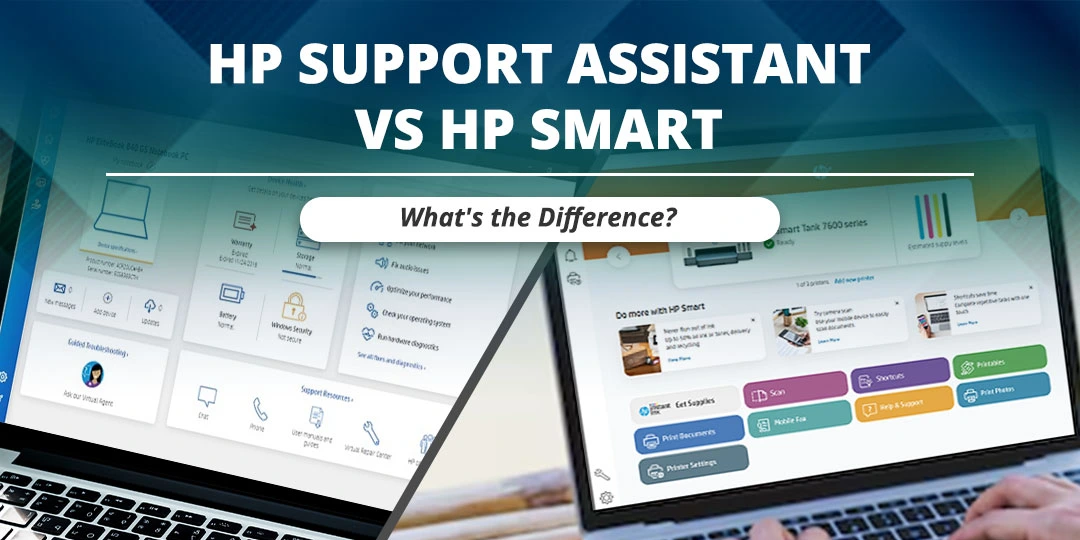

People often become confused when they see HP Support Assistant and HP Smart on an HP computer or phone. Both applications provide help for HP devices, but they are designed for different purposes.
In simple words, HP Support Assistant is mainly for device support, updates, troubleshooting, and diagnostics, while HP Smart is mainly for printer setup, printing, scanning, and printer management. HP is now bringing many HP Smart and myHP features together in the newer HP app, so the name shown on your device may depend on the platform and application version.
Contents
HP Support Assistant Vs HP Smart: Quick Answer
HP Support Assistant helps keep compatible HP computers and printers in working order by finding updates, providing troubleshooting tools, showing device information, and connecting users with HP support resources.
HP Smart, along with the newer HP app, helps users set up compatible printers, print documents and photos, scan files, manage printer settings, check supplies, and access printer support.
Therefore, HP Support Assistant is not the same as HP Smart. You may need both applications if you use an HP computer and an HP printer, although the exact application depends on your device and operating system.
What Is HP Support Assistant?
HP Support Assistant is HP support software for compatible HP computers and printers. It helps users find driver, firmware, and software updates and provides troubleshooting tools for certain device issues.
With the help of HP Support Assistant, you may be able to:
- Find and install HP driver and firmware updates.
- Check information related to your HP device.
- Use guided troubleshooting tools.
- Identify certain device, connection, or performance issues.
- View available support and warranty information.
- Access HP support resources.
- Receive support notifications for compatible devices.
The available features can vary according to the HP product, operating system, application version, and region. HP states that HP Support Assistant is included on many new HP desktop and notebook computers.
You can also read our guide on what HP Support Assistant is and how it works for more information about its features, download process, and use.
What Is HP Smart?
HP Smart was designed mainly for HP printer setup and everyday printer tasks. HP now says that HP Smart and myHP features are being brought together in the HP app, which supports printers, laptops, accessories, setup, printing, scanning, and support.
Depending on your device and region, the HP app may help you to:
- Set up a compatible HP printer.
- Connect the printer to Wi-Fi.
- Print documents and photos.
- Scan documents and images.
- Check ink or toner and paper information.
- Change printer settings.
- Manage print jobs.
- Order supplies where the feature is available.
- Check warranty and support information.
HP states that the HP Smart app is no longer available for download in some current app listings and that users can complete print tasks through the HP app instead. However, existing devices may still display HP Smart, and availability can vary by platform and country.
Difference Between HP Support Assistant and HP Smart
| Feature | HP Support Assistant | HP Smart or HP app |
| Main purpose | Computer and device support, updates, diagnostics, and troubleshooting. | Printer setup, printing, scanning, and printer management. |
| Driver and firmware updates | Yes, for compatible HP devices. | Some printer software or setup updates may be available. |
| Printer setup | Limited support and guidance may be available. | Main printer setup and connection tool. |
| Printing documents | Not its main purpose. | Yes, for compatible HP printers. |
| Scanning documents | Not its main purpose. | Yes, for compatible printers and scanners. |
| Ink or toner information | May show printer-related information in supported situations. | Common printer-management feature. |
| Computer troubleshooting | Main purpose. | Limited or related support may be available. |
| Windows 10 and Windows 11 | HP Support Assistant may be available for compatible systems. | The HP app is available for supported Windows 10 64-bit and Windows 11 PCs, subject to HP requirements. |
| Mobile use | HP Support Assistant Mobile may provide device support features. | HP Smart or the HP app is mainly used for mobile printing and scanning. |
Is HP Smart the Same as HP Support Assistant?
No, HP Smart and HP Support Assistant are different applications.
HP Support Assistant is mainly used to maintain compatible HP computers and access troubleshooting, updates, and support resources. HP Smart is mainly used to set up, print, scan, and manage compatible HP printers.
The confusion can happen because both applications may show support information and may work with HP printers. HP’s newer HP app combines several printer, computer, and support functions, but it still does not mean that HP Support Assistant and HP Smart are the same software.
Difference Between HP Printer Assistant and HP Support Assistant
HP Printer Assistant is printer-focused software available for certain compatible HP printer models. It may provide printer setup, printer status, scanning, printing, supply information, and other printer-specific functions.
HP Support Assistant is broader support software. It focuses on device updates, troubleshooting, diagnostics, device information, and HP support resources for compatible computers and printers.
In simple words:
- HP Printer Assistant: Printer-specific tasks.
- HP Smart or HP app: Modern printer setup, printing, scanning, and management.
- HP Support Assistant: Device support, updates, troubleshooting, and diagnostics.
The available functions can change according to the printer model, computer, operating system, and software version.
HP Support Assistant Vs HP Smart on Windows 10
For Windows 10, HP Support Assistant can help find HP updates and troubleshoot compatible HP computers. The HP app can help users set up printers, print, scan, manage printer settings, and check supported supplies.
If you are using Windows 10, check the following points:
- Use the HP Support Assistant version that is compatible with your computer.
- Use the HP app for compatible printer setup and print or scan tasks.
- Check whether your Windows 10 installation is 64-bit if the HP app requires it.
- Download HP software from HP’s official website or the Microsoft Store.
- Do not install several unofficial printer applications that perform the same task.
HP lists the HP app for supported Windows 10 64-bit and Windows 11 PCs, but requirements and availability can change.
HP Support Assistant on Windows 11
HP Support Assistant can be included on many HP desktop and notebook computers. It can help users find updates, troubleshoot certain issues, and access support resources.
If HP Support Assistant does not open in Windows 11, try updating, repairing, resetting, or reinstalling it. You can read our guide on how to fix HP Support Assistant not opening in Windows 11 for detailed steps.
Do not use HP Smart to replace HP Support Assistant when you are trying to update computer drivers or troubleshoot laptop performance. Use the application that matches the problem.
Which HP Software Do You Need?
If you need computer updates
Use HP Support Assistant or the official HP Drivers and Software page. HP’s driver page provides drivers, firmware, software, and diagnostics for HP products.
If you need to set up a printer
Use HP Smart or the HP app, depending on the application available for your device and region.
If you want to print or scan
Use HP Smart, the HP app, or compatible HP printer software. HP states that the HP app supports printing and scanning on supported devices.
If you need printer ink or toner information
Use the HP app, HP Smart where available, or compatible HP printer software. The exact supply information depends on the printer model and application.
If you need computer troubleshooting
Use HP Support Assistant or the HP Support website. HP Support Assistant is designed to help maintain compatible HP computers and provide troubleshooting tools.
HP Support Assistant Download
If HP Support Assistant is not already installed, download it from HP’s official support page rather than from an unknown third-party website.
- At first, open the official HP Support Assistant page.
- Select the download option for your compatible operating system.
- Save the setup file on your computer.
- Open the downloaded file.
- Follow the on-screen instructions to complete the installation.
- Restart the computer if the installer asks you to do so.
- Open HP Support Assistant from the Windows Start menu.
The latest version and system requirements can change. Therefore, check HP’s official page before downloading the application.
HP Support Assistant: Do I Need It?
You do not have to use HP Support Assistant on every HP computer. You can also download drivers, firmware, and troubleshooting information manually from the official HP Support website.
However, HP Support Assistant can be useful if you want to:
- Find HP updates in one place.
- Receive device support notifications.
- Use guided troubleshooting tools.
- Check device health or support information.
- Avoid searching for every driver manually.
If you do not use it, you can uninstall it through Windows Settings. Before uninstalling, make sure that you know how to download future HP drivers and firmware updates manually.
Can You Use Both HP Support Assistant and HP Smart?
Yes, you can use both applications because they perform different tasks.
For example, you may use HP Support Assistant to update and troubleshoot an HP laptop and HP Smart or the HP app to set up and manage an HP printer. Some features may overlap, but installing both applications does not mean that they are duplicates.
If you are using the newer HP app, some functions previously associated with HP Smart or myHP may appear in one application. The application name can vary according to your operating system and region.
Frequently Asked Questions
Is HP Smart the same as HP Support Assistant?
No. HP Support Assistant is mainly used for device updates, troubleshooting, diagnostics, and support resources. HP Smart or the HP app is mainly used for printer setup, printing, scanning, and printer management.
What is the difference between HP Printer Assistant and HP Support Assistant?
HP Printer Assistant is designed for printer-specific functions such as printer setup, status, printing, scanning, and supplies where supported. HP Support Assistant is designed for broader device support, updates, troubleshooting, diagnostics, and HP support resources.
Can I use HP Support Assistant and HP Smart together?
Yes, you can use HP Support Assistant for computer support and HP Smart or the HP app for printer setup, printing, scanning, and printer management.
Which software should I use to update my HP laptop?
Use HP Support Assistant or the official HP Drivers and Software page to find compatible laptop drivers, firmware, and diagnostics. Do not depend on HP Smart for general laptop driver updates.
Which software should I use to scan with an HP printer?
Use HP Smart, the HP app, or the printer software recommended for your model. The HP app supports scanning on compatible HP printers and devices.
Does HP Support Assistant work on Windows 10?
HP Support Assistant may work on compatible Windows 10 systems. The available version and requirements can change, so check HP’s official Support Assistant page before downloading it.
Does HP Support Assistant work on Windows 11?
HP Support Assistant is available for many compatible HP desktop and notebook computers running Windows 11. If it does not open, update, repair, reset, or reinstall the application.
What is the HP Support Assistant latest version?
The latest version can change as HP releases updates. Check HP’s official Support Assistant download page instead of downloading a version from a third-party website.
Do I need HP Support Assistant?
No, it is not required for every user. However, it can make it easier to find HP updates, troubleshooting tools, diagnostics, and support information in one place.
Is HP Support Assistant the same as HP Update Assistant?
The names can be confused, but HP Support Assistant is HP’s support and maintenance application. It may provide update-related features, while “HP Update Assistant” can refer to a different tool or a general description of update software. Use the official HP page to identify the correct application for your device.
Conclusion
HP Support Assistant and HP Smart are different applications designed for different purposes. HP Support Assistant is mainly used for computer and device updates, troubleshooting, diagnostics, and support resources. HP Smart or the HP app is mainly used for printer setup, printing, scanning, supplies, and printer management.
If you are updating an HP laptop on Windows 10 or Windows 11, use HP Support Assistant or the official HP Drivers and Software page. If you are setting up a printer or scanning a document, use HP Smart, the HP app, or compatible printer software.
You can use both applications when you have an HP computer and printer. Before downloading the latest version, check HP’s official website because application names, features, system requirements, and availability can change.
Disclaimer: Primotechy is an independent website and is not affiliated with or endorsed by HP Inc.
Sources
- HP Support Assistant – Official HP Support
- HP PCs – Using HP Support Assistant
- HP App – For HP Printers, Laptops, and Tech Accessories
- HP Printer Setup – HP Support
- HP Official Drivers and Software Download

Michael C. is an information-technology support professional with experience in Windows, Apple software, networking, malware analysis, and Apple-certified technical support. His background combines practical device troubleshooting with user-facing technical assistance. At Primotechy, Michael would write clear guides for macOS, iOS, Windows, system updates, driver conflicts, application errors, device performance issues, and common software failures.
View all posts by Michael C →