
If Snapchat keeps sending your verification code to an old number, you can still get in if you have your password plus a saved Recovery Code or your authenticator app, or a device that’s still logged in. Without any of those, Snapchat Support is the only route, and it doesn’t always work.
This guide is for existing users who changed their phone number or email and now can’t receive the code. It covers every fix in the order to try it, what support can and can’t do, and how to make sure this never happens again.
Important: Never share your Snapchat password, login code, or Recovery Code with anyone. Snapchat will never email or text you to ask for your password or 2FA codes, and it won’t ask you to click a login link.
Contents
Quick Overview
| What you still have | What to do |
| Snapchat still logged in on another phone or tablet | Change your number in Settings on that device first |
| Your password and an authenticator app | Use the app’s code instead of SMS |
| Your password and a saved Recovery Code | Enter the Recovery Code when Snapchat asks for the login code |
| Nothing, but the old number was recently cancelled | Ask your carrier if it can reactivate the number |
| None of the above | Submit a request to Snapchat Support and set realistic expectations |
Is This the Right Guide for You?
This guide covers one situation: Snapchat is sending the code, but it’s going to an old phone number or email you can’t access anymore. The screen usually shows something like “enter the code sent to ***58,” and those digits belong to a number you gave up.
Two related problems have their own guides:
- If the code isn’t arriving anywhere, even at a number you can check, see our fix for a Snapchat verification code that’s not sending.
- If your number is fine but Snapchat locked you out after you switched devices, see our guide to a Snapchat account locked after a new phone.
Why Does Snapchat Send the Code to My Old Number?
Snapchat sends login codes to the phone number verified on your account. If you got a new number but never updated Snapchat, the code still goes to the old one.
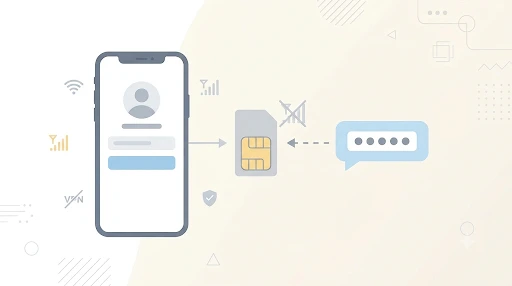
You usually don’t notice until something forces a fresh login:
- Two-factor authentication is on. With 2FA enabled, Snapchat asks for your password and a login code every time you sign in on a new or logged-out device.
- You reinstalled the app. Deleting and reinstalling Snapchat logs you out. One user on the Android Central forum described reinstalling the app, only to have the code go to an old number they could no longer reach.
- You got a new phone. A new device means a new login, which brings up the code prompt.
- You logged out to fix a glitch. Logging out feels harmless until the code goes to a number you don’t have.
The account was fine the whole time. The problem only shows up when Snapchat asks you to prove it’s you.
Why Won’t Snapchat Send the Code to My Email Instead?
Snapchat’s two-factor login codes are never sent by email. They come by text message or from an authenticator app. This is one of the most common questions, and the answer is a firm no.
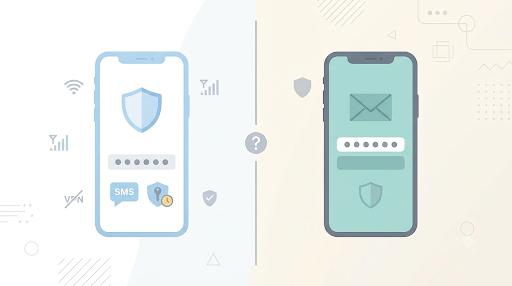
Your email still matters, but for different things:
- Password resets. If you pick the email option under Forgot Password, Snapchat sends a reset link to the email on your account.
- Extra security checks. When you log in from a new or unrecognized device, Snapchat may send a verification code to your phone number or your email, and you can’t always choose which. This is separate from 2FA.
Tip: If you’re getting this extra check (not 2FA), try logging in from a phone or Wi-Fi network you’ve used with this account before. Snapchat suggests this itself, and it can stop the check from appearing.
A password reset doesn’t get around two-factor authentication. Snapchat says accounts with 2FA turned on still need a 2FA code to log in, even after a password reset.
What If the Code Goes to Your Old Email?
If the reset link or verification message is going to an old email you can’t open, try to recover that email account first. Use Google’s account recovery page for Gmail or Microsoft’s recovery form for Outlook and Hotmail.
Don’t wait too long. Google’s inactive account policy says it may delete personal accounts that haven’t been used in at least two years. School and work accounts are different. Ask that organization’s IT help desk instead.
How Do You Log In When the Code Goes to an Old Number?
Work through these in order. The first options are fast and reliable. The last ones are slower and less certain.
1. Use a Device That’s Still Logged In
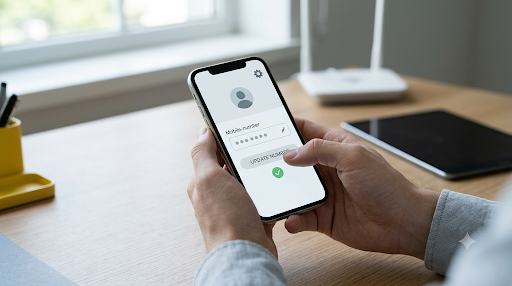
If Snapchat is still open on an old phone, a tablet, or another device, change your phone number there before you log out anywhere else.
- Open Snapchat on the logged-in device.
- Tap your Profile icon, then the gear icon to open Settings.
- Under Shortcuts, tap My Account.
- Under Change My Info, tap Mobile Number.
- Type your new number and tap Verify.
- Tap Send via SMS, or Call me instead to get the code by phone call. Enter the code and tap Continue. On some Android phones, a Google prompt verifies the number with your carrier and no code is sent.
- Check your Email while you’re there and update it if needed.
An old phone without a SIM card still works for this. Just connect it to Wi-Fi.
2. Use Your Authenticator App
If you set up 2FA with an authenticator app like Google Authenticator or Duo, the code comes from the app, not your phone number. Open the app, find the Snapchat entry, and enter the current code.
If you moved the authenticator app to a new phone using its backup or transfer feature, the code on the new phone should work. If the app was deleted and never backed up, its codes are gone. Move on to your Recovery Code.
3. Enter Your Recovery Code
A Recovery Code is the backup Snapchat gives you when you set up two-factor authentication. It’s made for exactly this situation.
- Enter your username and password, then tap Log In.
- When asked for a login code, enter your Recovery Code instead.
- Once you’re in, change your phone number right away.
Keep two things in mind:
- Using the code turns off two-factor authentication. Turn it back on after you update your number.
- Use the newest Recovery Code you made. If you generated more than one over the years, an older one may not work.
- The code has to exist already. You can only make a Recovery Code while you’re logged in, so you can’t create one after you’re locked out.
Not sure if you saved one? Check your password manager, screenshots, notes app, and any paper you filed away.
4. Try to Get Your Old Number Back
This one often works. Call your old carrier and ask whether the number can be reactivated or ported to your current plan. Do this whether you were with Verizon, AT&T, T-Mobile, or a smaller prepaid brand.
- Reactivation turns the old line back on with the same carrier.
- Porting moves the number to your current carrier.
Whether this works depends on your carrier’s policy and how long ago the line was cancelled, so call as soon as you can. If the number has already gone to a new customer, this won’t work. Even a temporary reactivation is enough to receive one Snapchat code and switch your account to your new number.
5. Reset Your Password Through Your Old Email
If you can still open the email on your account, use Forgot your password? and choose Via Email. This helps when your password is the problem.
It has a limit. If two-factor authentication is on, Snapchat still asks for a 2FA code after the reset. In that case you’re back to options 1 through 4.
6. Contact Snapchat Support
If nothing else works, go to the Snapchat Support site and choose I can’t access my account, then I can’t verify my email or mobile number. Snapchat doesn’t offer phone support, so you’ll use the Support Bot or a contact form.
What Can’t Snapchat Support Do?
Knowing this up front saves a lot of frustration. According to Snapchat’s own account access help page:
- Support can’t reset your password or change your phone number or email if you no longer have access to the number or email linked to the account.
- Support can’t send a login code to a new number that was never verified on your account.
- Support doesn’t help with lost Recovery Codes. Snapchat says plainly that it doesn’t offer support for them.
- Authenticator codes are tied to your phone. Snapchat warns that you may lose access if you change your phone or restore it to factory settings without backing up the app.
- No code means no login on a new device. Snapchat says that without your verification code you can’t log in on a new device, though you can create a new account with a new email or phone number.
These rules exist so a stranger can’t claim your account just by saying they changed numbers. They’re frustrating when you’re the real owner, but they protect you too.
What If Nothing Works?
Be prepared for the possibility that the account can’t be recovered. If you have no logged-in device, no Recovery Code, no authenticator app, no old number, and no old email, Snapchat may not be able to verify that you own it.
Send one clear support request anyway, especially if you think the account was hacked. Include:
- Your exact username, not your display name
- The old phone number and old email on the account
- Roughly when you last used the account
- The device you usually logged in on
- A working email where Snapchat can reply
Never share your password, a login code, or a Recovery Code with anyone who contacts you claiming to be Snapchat. Ignore “recovery experts” on social media too. They aren’t Snapchat.
If you decide to start a new account, make one. Creating several accounts on the same phone can get your device flagged, which leads to errors like the one in our Snapchat SS06 error fix guide. And if a new login shows an error code instead of a code prompt, check our Snapchat C14A error fix before trying again.
How Do You Stop This From Happening Again?
Once you’re back in, or on a new account, take five minutes to set these up:
- Update your number in Snapchat before you cancel your old SIM. This one habit prevents almost every case of this problem. Snapchat’s help center says to replace your old number right away when you get a new one, and Snap’s Terms of Service ask you to update your account through Settings within 72 hours of changing or deactivating your number, so messages meant for you don’t go to whoever gets that number next.
- Save your Recovery Code offline. Go to Settings, My Account, Two-Factor Authentication, Recovery Code, Generate Code. Store it in a password manager or on paper.
- Use an authenticator app with backup or sync turned on, so a lost phone doesn’t mean lost codes.
- Create a passkey. Snapchat recommends adding a passkey to your account as another way to sign in securely.
- Verify your email. A red gear in Settings means your email isn’t verified yet. Tap your email address there to send the verification message.
- Check your details once a year. Make sure the phone number and email in Settings are ones you still use.
FAQs
Can Snapchat send the verification code to my email?
No. Two-factor login codes only come by text or from an authenticator app. Email is used for password reset links.
Can Snapchat Support change my phone number for me?
Not if you no longer have access to the old number or email on the account.
Will reinstalling Snapchat fix it?
No. Reinstalling logs you out, and that’s often what triggers the code going to your old number in the first place.
Can I log in on Snapchat Web without the code?
Don’t count on it. Expect the same verification step on the web, so it isn’t a way around the code.
Can I use my old Recovery Code if I made a new one later?
Use the newest one you generated. An older code may not work.
What if my carrier gave my old number to someone else?
You can’t get the code from that number anymore. Use a logged-in device, your authenticator app, or your Recovery Code, or contact Snapchat Support.
Final Recommendation
If your Snapchat verification code is being sent to an old number, start with what you still have. Check for a logged-in device, then your authenticator app, then your Recovery Code. If none of those work, call your old carrier today, because the number may not stay available for long. Contact Snapchat Support last, and go in knowing it can’t override its security rules.
Once you’re in, update your number and email, save a fresh Recovery Code offline, and make “update Snapchat before switching SIMs” a habit.

Anica Lymus is a technical writer specializing in consumer applications, mobile operating systems, and practical troubleshooting workflows. At Primotechy, she covers account security, software glitches, and app performance across platforms such as Facebook, Instagram, and Snapchat. Drawing on hands-on device testing and in-depth research across iOS, Android, macOS, and Windows, Anica translates complex platform settings and sudden technical errors into clear, verified, step-by-step guides that readers can easily follow and trust.
View all posts by Anica Lymus →